How to organize a sound effects library: folders, names, tags and licenses
A practical setup for organizing a sound effects library as a video editor: one root folder, a folder per source, licenses kept with the files, UCS naming when it helps, tags and backups.
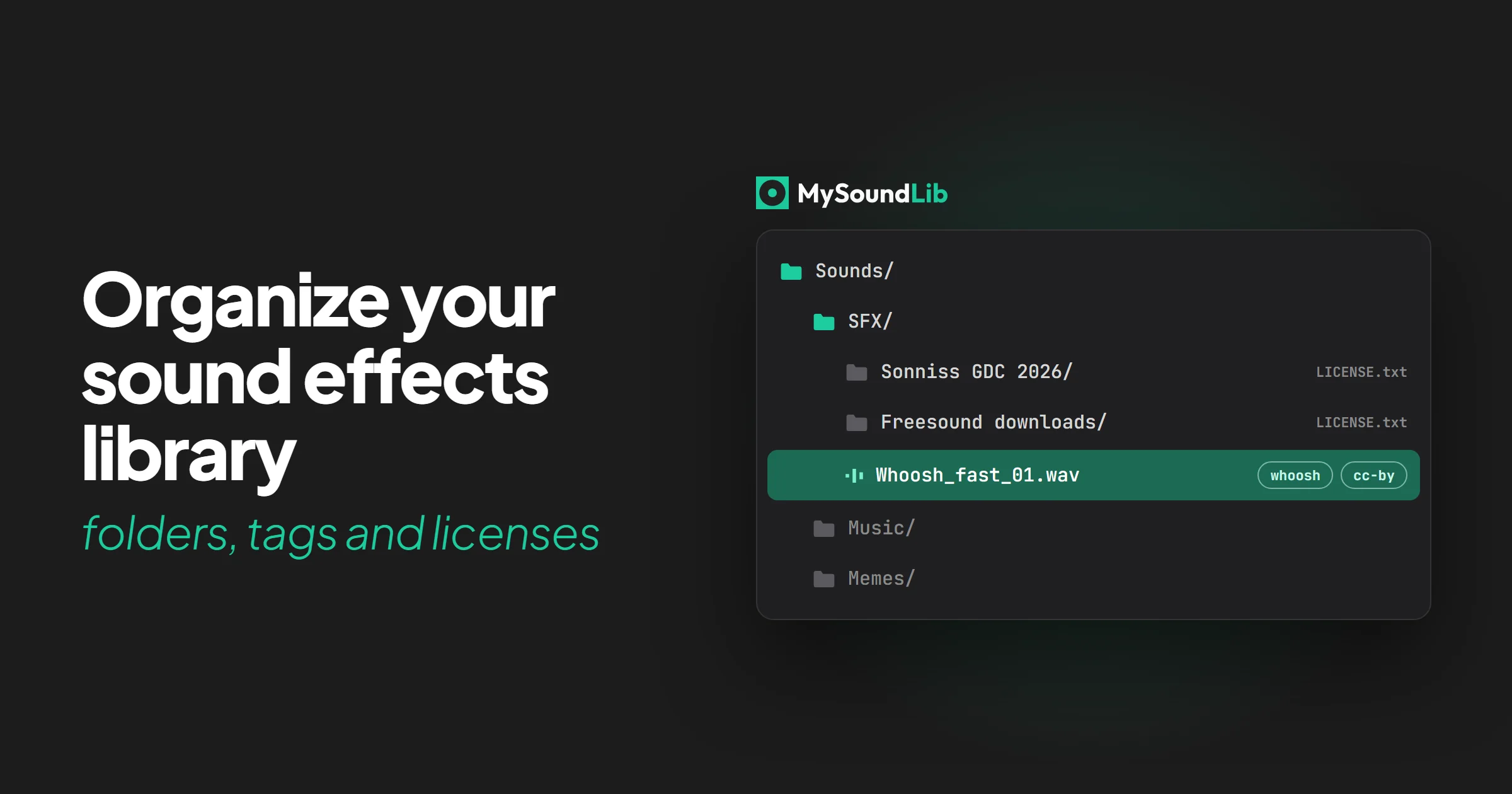
The simplest way to organize a sound effects library is to keep every pack in its original folder under one root. Keep each pack’s license next to its files, and add tags only to the sounds you actually reach for. Renaming thousands of files by hand looks tidy and rarely pays off. A search tool that indexes the whole library does more for you in an afternoon than weeks of renaming.
Below is the setup I use and why each part is there.
The short version:
- One root folder for all sounds, with one subfolder per pack or source.
- The license file stays inside each pack’s folder.
- Tag the sounds you use often, keep at least one backup, and let an index do the searching.
1. Use one root folder
Put every sound under one folder, for example Sounds/ on your largest drive. When packs are scattered across Downloads, the desktop and old project folders, no search can save you, and you’ll never know what you already own.
If you keep music, sound effects and meme sounds, a first level for each one helps:
Sounds/
  SFX/
  Music/
  Memes/
2. Keep one folder per pack or source
Inside each of those, give every pack its own folder and keep the creator’s original structure. Don’t flatten everything into one big folder. The pack name tells you where a sound came from, and its subfolders often already group sounds by type.
Sounds/SFX/
  Sonniss GDC 2026/
  Freesound downloads/
  Creator name - Transitions pack/
3. Keep the license with the files
Save the license file, the pack’s README or a link to its terms inside each pack’s folder. Months later, when a sound goes into a client video, that file answers the two questions that matter: can I use it commercially, and do I have to credit someone? If a source has no license file, write a short LICENSE.txt yourself with the link and what it says. I compared the licenses of the main free sources in free sound effects for video editing.
4. Rename only when it pays off
Bulk renaming is where most organizing projects stall. My rule: rename a file when you’ll use it often and its name says nothing, like SFX_0142.wav. Leave the rest alone.
If you do want a naming system, look at the Universal Category System (UCS). It’s “a public domain initiative” by Tim Nielsen, Justin Drury, Kai Paquin and others to create “a set category list for the classification of sound effects”, with a consistent filename structure and short category IDs (universalcategorysystem.com). It’s worth adopting for sounds you record or design yourself. Converting a whole downloaded library to it is a big job; for most editors, it isn’t worth it.
5. Tag what you use
Tags do what folders can’t: one sound can be a whoosh, a transition and favorite at the same time. Start small with tags you’ll actually search for:
- what the sound is:
whoosh,impact,riser,ui-click - how you use it:
transition,title-hit,meme - what the license allows:
cc-by,credit-required,cleared
6. Index it so you can search it
The operating system’s file search isn’t built for this. You need search by name and tag, instant preview, and filters such as format or channels. That’s the part I built MySoundLib for. It indexes your folders where they already are, without moving or copying your files, and you can keep separate libraries for sound effects, music or memes. Then Alt + Shift + F opens a search over your editor, where you preview, trim and drag the sound onto the timeline. I walk through that part in how to add sound effects without leaving your video editor.
7. Back it up
A sound library takes years to build and one dead drive to lose. Keep at least one full copy on another drive, and if you can, one more somewhere else. Because everything lives under one root folder, backing it up is a single folder copy.
Frequently asked questions
Should I sort sounds by folder or by tag?
Both. Folders say where a sound came from and keep its license close. Tags say what the sound is and how you use it, which is what you search for in the middle of an edit.
Should I convert everything to WAV?
Only the files your editor can’t open. The OPUS to WAV guide covers how, and the same steps work for FLAC, M4A, OGG and AIFF.
How big can a library get before this matters?
It starts to matter as soon as you can’t remember where a sound is. For many editors, that’s a few gigabytes of packs, and plenty of us are well past that. I wrote more about why that library is worth keeping in local sound library vs. audio subscriptions.
About the author
I’m Thneppel, a video editor and the creator of MySoundLib. I work mostly in Premiere Pro and After Effects. More about me at thneppel.com.br. Questions or corrections about this post: support@mysoundlib.com.
Sources
- Universal Category System. universalcategorysystem.com. Last checked on November 10, 2026.