Free sound effects for video editing: where to find them and what the licenses allow
Four free sources of sound effects for video editors (Freesound, Pixabay, Sonniss and YouTube Audio Library) and what each license says about commercial use and credit.
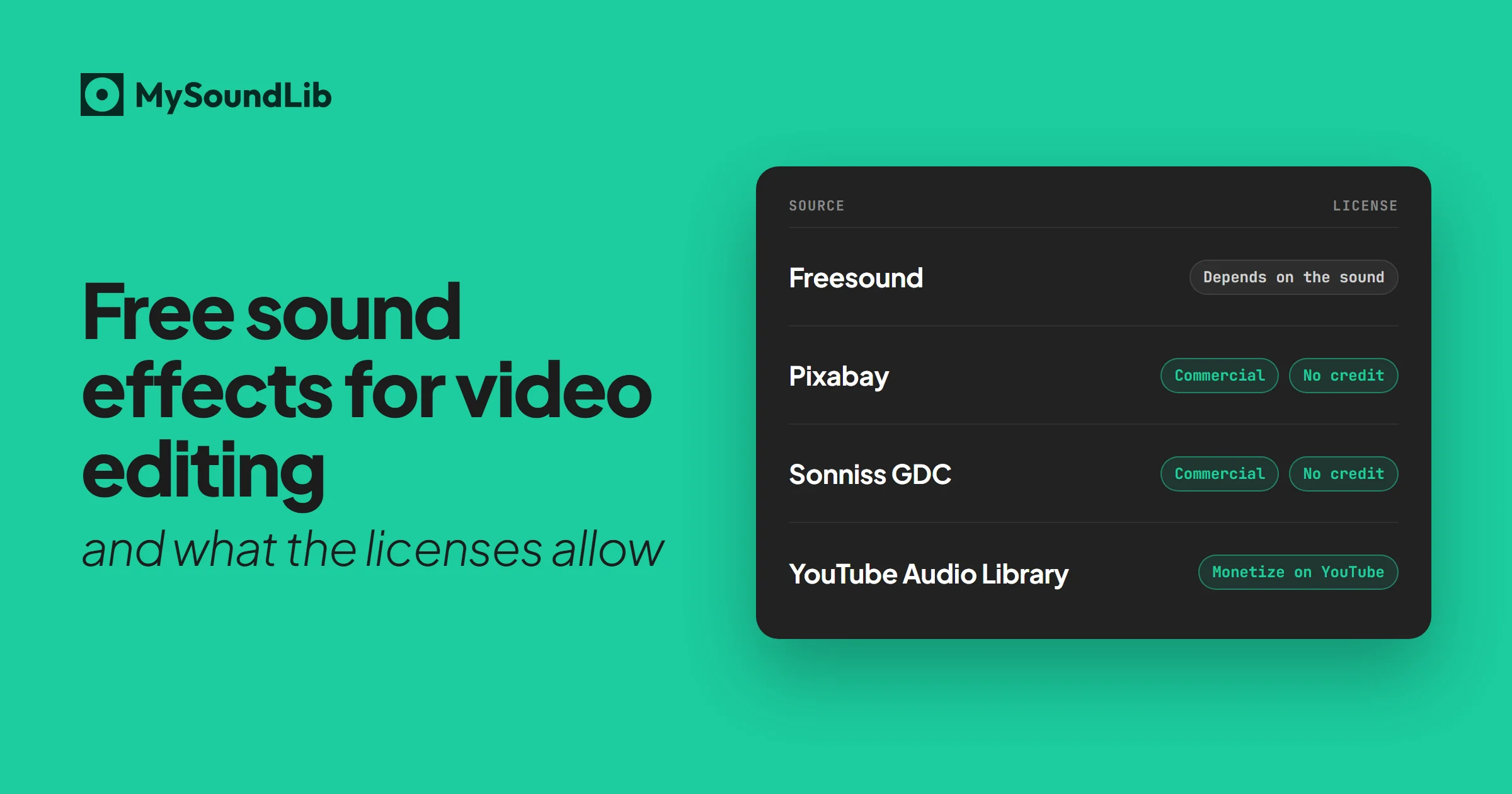
Before a free sound effect goes into a monetized video or a client project, you need to know two things from its license: whether commercial use is allowed, and whether you have to credit someone. I last checked the license pages of these four free sources on November 10, 2026: Freesound, Pixabay, the Sonniss GDC Game Audio Bundle and the YouTube Audio Library. Three of them let you use sounds commercially with no credit. On Freesound, it depends on each individual sound.
The short version:
- Sonniss and the YouTube Audio Library allow commercial use, and their standard terms don’t ask for credit.
- Pixabay doesn’t ask for credit either, but you can’t redistribute the sounds on their own.
- Freesound licenses each sound separately. CC0 needs no credit, CC BY needs credit, and CC BY-NC rules out anything that earns money.
The four sources compared
| Source | Account needed | Commercial use | Credit required | Main restriction |
|---|---|---|---|---|
| Freesound | Yes, to download | Depends on the sound: yes for CC0 and CC BY, no for CC BY-NC | Depends on the sound: no for CC0, yes for CC BY and CC BY-NC | You can’t claim you made the sounds |
| Pixabay | No | Yes | No | No selling or distributing the sounds on a standalone basis |
| Sonniss GDC bundle | No | Yes, in personal and commercial projects | No | No selling the sounds as they come, no AI or machine learning training |
| YouTube Audio Library | Yes, through YouTube Studio | Yes, in monetized YouTube videos | Only for tracks under Creative Commons | Terms are written for YouTube videos |
These summaries are mine, not legal advice. Each license page is linked above, and the page itself is what counts.
Freesound: check the license on every sound
Freesound is a community library, so each sound comes with the license its uploader picked. There are three: CC0, CC BY and CC BY-NC. You need a registered account to download, and the FAQ asks you to be logged in.
CC0 needs no credit. CC BY needs credit; the FAQ says: “For “attribution” you should always mention the original creators of the sounds when you use them.” CC BY-NC also needs credit and rules out commercial use. In the FAQ’s words, with an NC sound “you can’t earn any money with the piece of work you create!” For a monetized channel or client work, that means skipping NC sounds.
The FAQ also notes that raw Freesound sounds used in music can trigger Content ID claims.
Pixabay: no credit, no reselling
Pixabay’s license summary lets you “use Content without having to attribute the author”, and it covers commercial use. The limit is redistribution: “You cannot sell or distribute Content (either in digital or physical form) on a Standalone basis.” So a sound inside your edit is fine, but re-uploading it as a sound pack isn’t.
The summary page says it isn’t the binding text (“only the full Content License is legally binding”), so read the full license for edge cases.
Sonniss GDC Game Audio Bundle: commercial use, no credit
Sonniss offers its GDC Game Audio Bundles as free downloads. The license (version 2.0, effective August 27, 2026) allows use “for personal and commercial projects” and says: “No attribution is required and you can use them on an unlimited number of projects.”
You can sell a finished project, but “Licensee may not sell any of the sound effects as they come.” The license also forbids using the sounds to train AI or machine learning models.
YouTube Audio Library: safe for monetized YouTube videos
If you publish on YouTube, the Audio Library in YouTube Studio is the lowest-risk option. Google’s help page says that if you’re in the YouTube Partner Program, “you can monetize videos with music and sound effects from the Audio Library.” It also says Content ID won’t flag them: “copyright-safe music and sound effects downloaded from the Audio Library won’t be claimed.”
Items under the standard license need no credit. Tracks under Creative Commons need credit in the video description, and the library has an “Attribution not required” filter. The page is written for YouTube videos, so if you also publish elsewhere, check that the terms cover it.
Follow editors and filmmakers who share packs
Sound libraries aren’t the only source. Many filmmakers and video editors sell sound packs they recorded or designed for their own work, and a lot of them also give packs away for free, usually through their YouTube channel, newsletter or website. Following the creators whose edits you like is an easy way to catch those free packs when they come out, and their sounds tend to fit the same editing styles you’re after.
The license question still applies. A creator’s free pack comes with that creator’s own terms, which are often in a text file inside the download or on the pack’s page. Check whether commercial use is allowed and whether they want credit before the sounds go into client work.
Other sites you’ll see recommended
ZapSplat, BBC Sound Effects and Mixkit show up in most lists of free sound effects. I couldn’t read their current license terms when I wrote this post, so I’m not summarizing them here. Read each one’s license page before using their sounds in paid or client work, because “free to download” and “free for commercial use” aren’t the same thing.
Keep the license with the sounds
The license question comes back months later, when you reuse a sound in a client video and can’t remember where it came from. Save each source in its own folder and keep a text file next to the sounds with the license and, for CC BY sounds, the credit line.
I built MySoundLib to organize my own sound library. It doesn’t come with audio files; you bring the sounds you downloaded. Once your folders are imported, you can add your own tags, such as cc-by or credit-required, and filter by them when you search. If a download comes in a format your editor refuses, the built-in converter turns it into WAV or MP3. To pull those sounds into the timeline without leaving the editor, see how to add sound effects without leaving your video editor.
Frequently asked questions
Can I use free sound effects in monetized YouTube videos?
Yes, if the license allows commercial use. The YouTube Audio Library, Sonniss and Pixabay all do. On Freesound, use CC0 or CC BY sounds and credit the CC BY ones. CC BY-NC sounds are out.
Does “royalty-free” mean free?
No. Royalty-free means you don’t pay per use after you get the license, but the license itself can cost money. A free source is free to download, and you still have to follow its license.
Do I have to credit a CC0 sound?
No. CC0 requires no credit, though you can still credit the creator if you want to.
About the author
I’m Thneppel, a video editor and the creator of MySoundLib. I work mostly in Premiere Pro and After Effects. More about me at thneppel.com.br. Questions or corrections about this post: support@mysoundlib.com.
Sources
All pages last checked on November 10, 2026.
- Freesound. Frequently Asked Questions.
- Pixabay. License summary.
- Sonniss. GDC Game Audio Bundle and GDC bundle license.
- YouTube Help. Use music and sound effects from the Audio Library.